Kanbei, the people organizer
Kanbei keeps track of the people in your group — who they are, where they belong, when things happen, and who is doing what. Calm, simple, and in plain English.
Starting a group? Create an organization — no sign-up needed to start.
$20 a month, flat. Unlimited members. Unlimited admin seats.
This website, and the tool
This website is Kanbei's home. The tool itself lives inside your org's workspace once you sign in, or try the demo. The blog and FAQ on this site are Kanbei's own writing about Kanbei — your org gets People, Groups, Calendar, Scheduling, and the rest, inside your workspace.
Who it is for
Kanbei is for anyone who keeps track of people. If you look after a group of people, Kanbei fits — for example:
What you get
People
Names, contact details, tags, households, and notes — all in one searchable list.
Groups
Groups, squads, ministries, teams, or classes — with leaders and member lists.
Calendar
Events with shareable reply links and calendar downloads.
Scheduling board
See who is doing what, and move jobs from unassigned to done.
Attendance
Tick off who showed up. One save button, no fuss.
Announcements
Pin the news that matters, so nobody misses it.
How it works
Six plain steps. Nothing hidden, nothing fancy.
1. Set up your org
Name your org, pick a starting point, and see it working. Create an account only to keep it — then subscribe, $20 a month, charged immediately.
2. Pick a template
Choose the closest starting point. It sets your starter groups and words.
3. Set your words
Kanbei calls groups and members by the words your group uses — groups and members, squads and players, ministries and members, classes and students.
4. Add people, or import a CSV
Add people one by one, or bring a list in with the CSV template.
5. Create an event
Give it a title, a start time, and a place. Link it to a group if it is only for them.
6. Share the RSVP link
Anyone with the link can reply — going, maybe, or cannot make it. No account needed to reply.
From spreadsheets and group chats
Kanbei replaces the scattered ways groups usually keep track of people — with one place everyone can look.
Instead of scattered spreadsheets
One searchable list of people, with tags and households — no hunting for the latest copy of a file.
Instead of announcements that get buried
News is posted in Kanbei and pinned to the top, so it stays where people can find it instead of scrolling away in a group chat.
Instead of paper sign-up sheets
Share a reply link for each event, see who is going, and tick attendance in one place.
Example — sample data
An example: the Sample Soccer Club
This is made-up sample data from the Kanbei demo — not a real customer. It shows how the pieces fit together.
The Sample Soccer Club picks the Sports / Hobby Club template, so Kanbei calls its groups “Squads” and its members “Players,” starting with First Squad, Reserves, and Coaching. It adds its players, tags one “captain,” and groups two families into households. Then it creates “Tuesday Training” at Riverside Field and shares the reply link — players reply going, maybe, or cannot make it, without an account. An unassigned job, “Set up cones and goals,” sits on the scheduling board until someone takes it, and a pinned announcement — “Bring water bottles on Tuesday” — stays on top where everyone can see it.
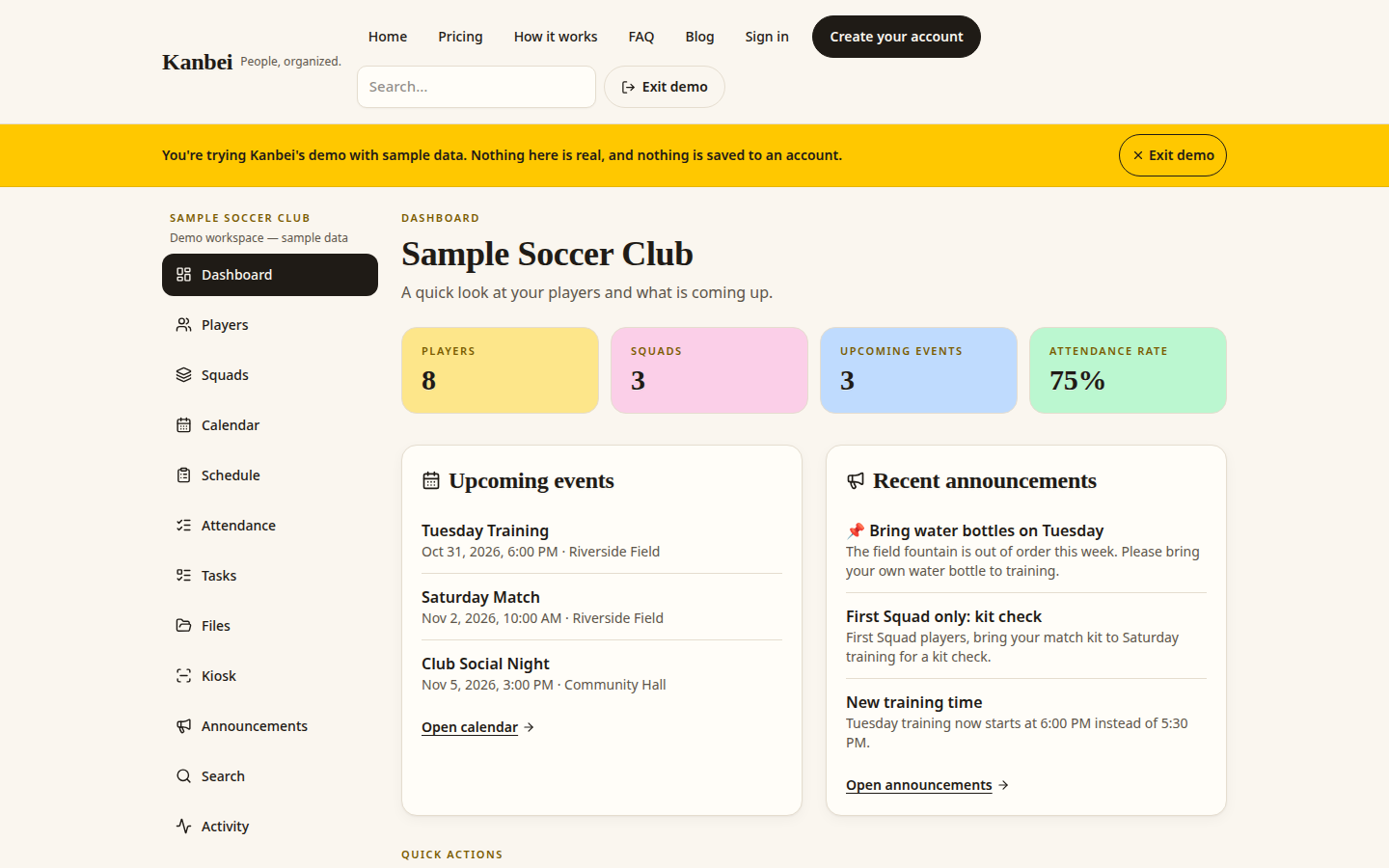
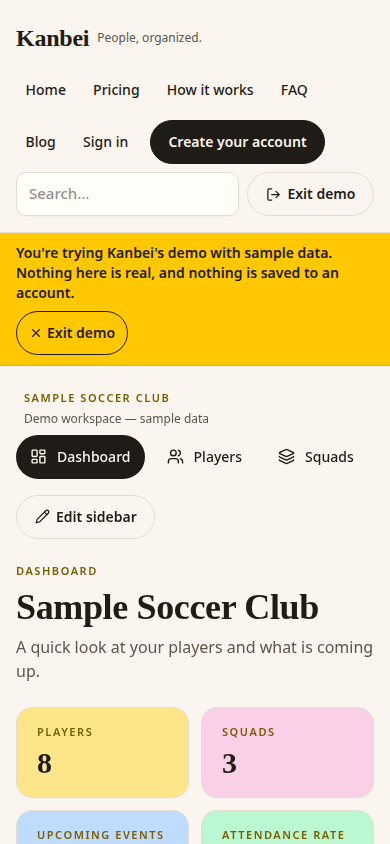
The demo uses sample data and is clearly labeled. Nothing you do in the demo is saved to a real account.
Pricing
$20 / month
- Unlimited members.
- Unlimited admin seats.
- No free trial. No card needed to look around in the demo.